How DNS Resolution Works: A Deep Dive with dig
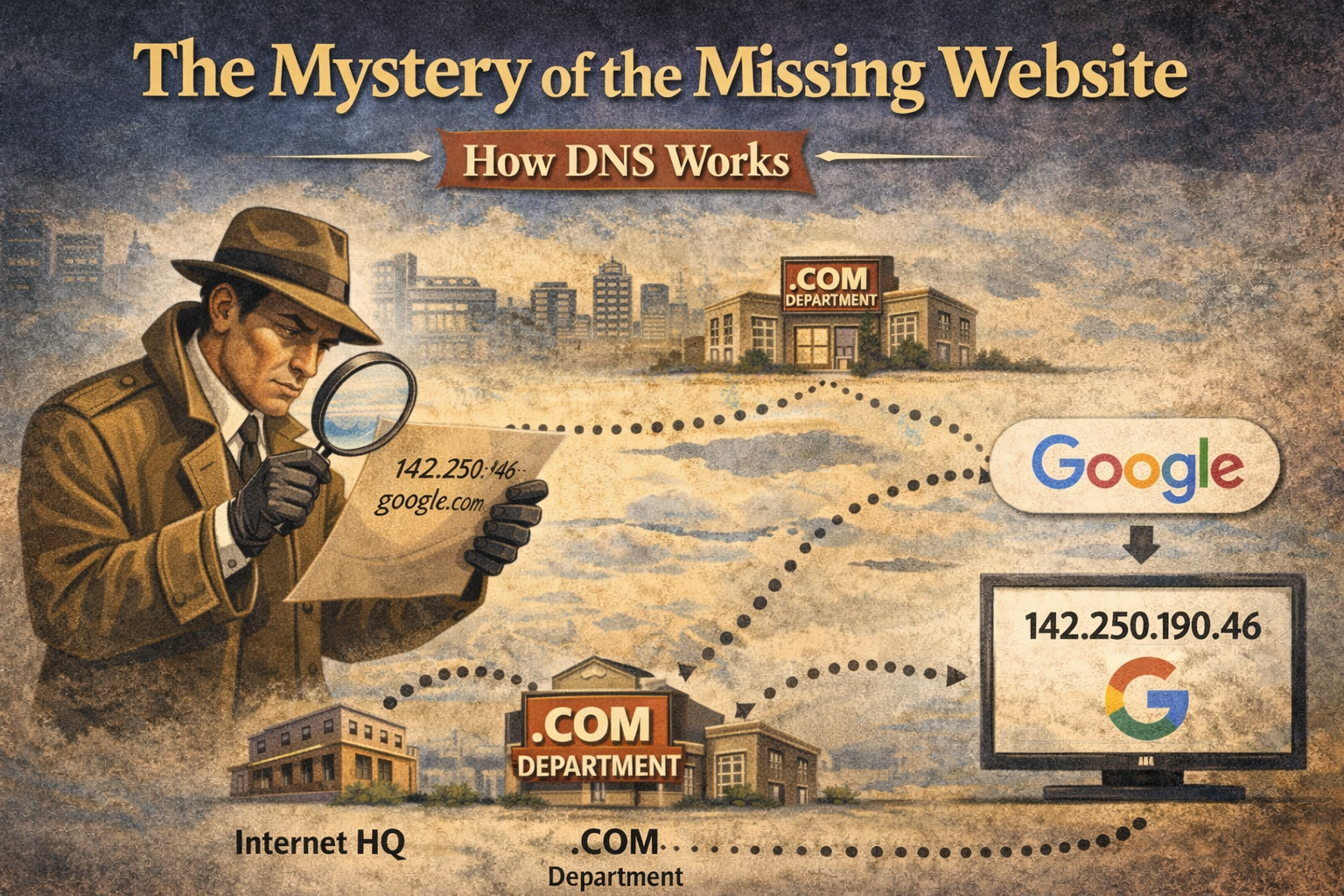
The Mystery of the Missing Website
Imagine you want to visit google.com. You type it in, and it appears.
But here is the secret: Your computer has no idea where google.com is. It doesn't know names; it only knows numbers (like 142.250.190.46).
So, how does it find the number that matches the name?It doesn't have a huge list of every website on earth—that list would be too big to store. Instead, it has to go on a search.
It hires a Detective.
Meet the Detective (The Recursive Resolver)
In technical terms, this "Detective" is called a Recursive Resolver. It is a service usually provided by your Internet Service Provider.
When you type a URL, your computer says to the Detective: "Go find the number for google.com. I’ll wait here."
The Detective doesn't know the answer, but he knows exactly who to ask. He follows a strict chain of command.
Step 1: The Information Desk (The Root Servers)
First, the Detective goes to the global headquarters of the internet. This is called the Root.
The Detective asks: "Excuse me, do you know where google.com is?"
The person at the Root desk says: "I don't know exactly where Google is. But I know who manages all the .com websites. Go talk to the .COM Department."
The Technical View: Engineers can see this conversation using a command called dig.
Command:
dig . NSTranslation: "Hey Root (.), tell me who your Name Servers (NS) are."
Result: It gives us the address of the .COM managers.
Step 2: The Department Manager (The TLD Servers)
The Detective follows the instructions and goes to the .COM Department. These are the Top Level Domain (TLD) servers.
The Detective asks: "Okay, the Root sent me. Do you know where google.com is?"
The Department Manager says: "I have a list of every .com name, but I don't know their specific IP addresses. However, I know that Google has its own team that handles their location. Here is the address for Google's Name Servers*."*
The Technical View:
Command:
dig com NSTranslation: "Hey .com, tell me who manages your Name Servers."
Result: It points us to Google's specific servers.
Step 3: The Company Office (The Authoritative Servers)
Finally, the Detective goes to the address given by the Department Manager. He arrives at Google’s own servers. These are called the Authoritative Servers. They are the "Authority"—the boss who knows the final answer.
The Detective asks: "I've been sent by the Root and the .COM manager. I need the address for google.com."
The Google Server says: "You've come to the right place. The address is 142.250.190.46*."*
The Technical View:
Command:
diggoogle.comNSTranslation: "Hey Google, show me your official Name Servers."
Result: Confirms we are at the source of truth.
Step 4: The Final Answer
The Detective writes down 142.250.190.46 and runs back to your computer.
Detective: "Here is the number you asked for!"
Your Computer: "Thanks!" (And connects you to the website).
The Technical View:
Command:
diggoogle.comTranslation: "Just give me the answer."
Result:
142.250.190.46(The IP Address).
Summary
The entire internet is built on this simple chain of referrals. No one knows everything, but everyone knows who to ask next.
You ask the Detective (Resolver).
Detective asks the Root ("Who runs .com?").
Detective asks the TLD ("Who runs Google?").
Detective asks Google ("What is your IP?").
This entire conversation happens in milliseconds—faster than the blink of an eye. That is the magic of DNS.